Synology Urges Immediate Updates as C3RB3R Ransomware Hits NAS Devices
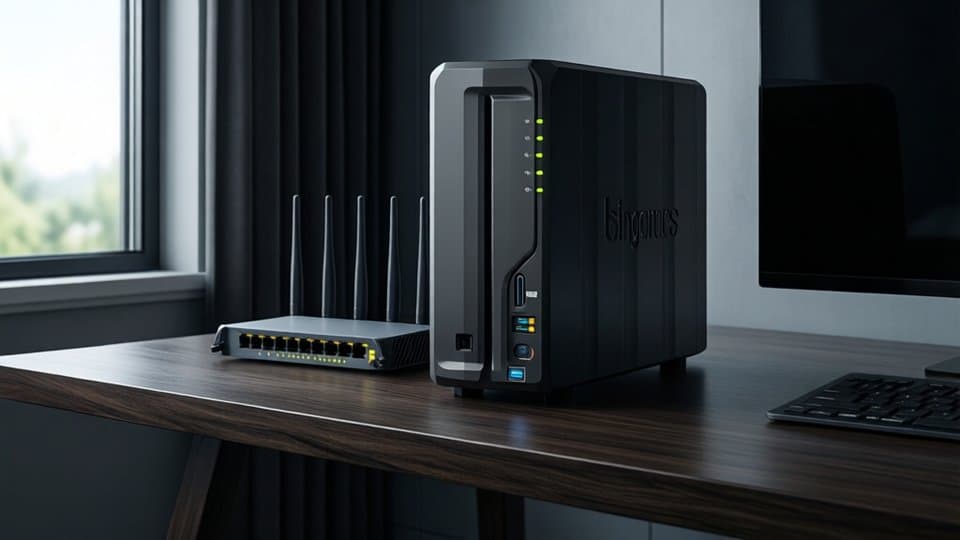
Synology is warning customers to immediately update their DiskStation Manager (DSM) software following a surge in C3RB3R ransomware attacks. Threat actors are exploiting a security vulnerability that was originally patched in December 2024 to target devices running outdated software. Users should check their current build version and enable automatic updates to prevent data encryption.
- BleepingComputer reported that the ransomware demands start at approximately $2,952 in Bitcoin.
- The Hacker News stated that Synology observed attackers exploiting a flaw patched in December 2024.
- TechAeris noted that the ransom demand doubles after five days.
What is happening to Synology devices?
Ransomware operators are targeting Synology Network Attached Storage (NAS) hardware to encrypt user files and extort money. These attacks leave a ransom note named "read-me3.txt" in every folder and append a .L0CK3D extension to all encrypted data. Once the files are locked, the attackers demand payment to provide a decryption tool.
The malware performs a recursive walk through the system, skipping only 27 specific system directories. According to TechAeris, the attackers use a 256-bit key per file, encrypting with ChaCha8 and wrapping that key with RSA-2048. This process ensures that even if one file is recovered, others remain locked.
The ransom note explicitly warns users against trying to fix the files themselves. The note states:
"All your important files have been encrypted. Any attempts to restore your files with thrid-party software will be fatal for your files! The only way to decrypt your files safely is to buy the special decryption software 'C3rb3r Decryptor'". This warning is part of a standard extortion tactic used to prevent users from successfully recovering data for free.
Why is this happening now?
The current wave of attacks is driven by the exploitation of a specific security flaw that was addressed in late 2024. While many users believe their systems are safe, attackers are finding ways into devices that have not applied these older patches. This creates a massive window of opportunity for criminals to strike unpatched hardware.
There is a dispute regarding exactly how these attackers are getting in. TechAeris reports that Synology claims the campaign relies solely on a vulnerability patched in December 2024, specifically CVE-2024-10441. This flaw is a remote code execution bug with a critical severity score of 9.8.
However, other researchers disagree. TechAeris mentions that a group called 360 blames two different bugs fixed in September 2026. This disagreement means that depending on which theory is correct, some users might think they are protected by an old update when they actually need a much newer one.
Who is at risk from these attacks?
Anyone running an outdated version of Synology's DiskStation Manager (DSM) software is at risk. This includes both home users and commercial entities that use NAS devices for data storage. The danger is particularly high for devices that are accessible directly from the internet without additional security layers.
Older hardware models face a higher risk of being left vulnerable. AppleInsider reports that while newer devices might have automatic updates enabled by default, older models often require users to set this up manually. Some users may see a message saying they are "fully updated" even though the device has stopped receiving critical background security patches.
The scale of the potential target is massive. According to BleepingComputer, the internet threat watchdog Shadowserver tracks over 380,000 internet-exposed Synology NAS devices. While it is unknown how many of these are currently being targeted, the sheer number of exposed devices provides a large target for ransomware gangs.
What can you do to secure your NAS right now?
You must take immediate action to verify that your device is running the latest, most secure software version. Simply checking for updates is not enough; you must ensure the specific build numbers match the security requirements provided by the manufacturer. Following a strict update protocol is the best way to block attackers.
Follow these steps to secure your system:
- Go to Control Panel > Update > Update & Restore to check your DSM version.
- Compare your build number against the latest version for your specific DSM branch (such as 7.2.2, 7.2.1, or 7.1).
- Open Package Center and update every installed application to the latest version.
- Run a Security Advisor scan to check for any unauthorized scripts or new administrator accounts.
- Enable automatic updates in the settings to ensure future patches are applied without manual intervention.
- Block all access to your device's management web interface from the public internet.
Beyond software updates, you should also implement a robust backup strategy. TechAeris advises that if you only keep snapshots on the same physical device, you will lose them along with your files when the ransomware hits. You must use tools like Hyper Backup or Snapshot Replication to create an off-site copy of your data.
What is the difference between C3RB3R and PHP2Shell?
It is vital to distinguish between the C3RB3R ransomware and the recent PHP2Shell vulnerabilities. While both are serious, they involve different entry points and require different patching priorities. Confusing the two can lead to a false sense of security if you only patch one type of flaw.
The PHP2Shell flaws (CVE-2026-109618 and CVE-2026-109619) affect specific applications like WordPress, Joomla, and phpMyAdmin. TechAeris notes that while these are critical, Synology has explicitly stated that they are not the method being used for the current C3RB3R ransomware campaign.
Even though they are separate issues, you should still patch both. The C3RB3R attack targets the core DSM system via the 2024 vulnerability, whereas PHP2Shell targets the web applications running on top of that system. A secure device requires a patched operating system and patched applications.
What happens if my files are already encrypted?
If you discover the .L0CK3D extension on your files or find a "read-me3.txt" file, your device has been compromised. At this stage, the priority shifts from prevention to damage assessment and recovery. Do not attempt to use unverified third-party decryption tools, as this could permanently damage your data.
The attackers claim that the only way to recover data is to purchase their "C3rb3r Decryptor." However, paying the ransom does not guarantee you will receive a working key. If you have followed the 3-2-1 backup rule—meaning you have three copies of your data on two different media types with one copy off-site—you can restore your files without paying the criminals.
If you have no backups, you should contact Synology Support immediately. The Hacker News notes that Synology is actively assisting affected users through their Support Center. Professional assistance is necessary to determine if any part of the system can be salvaged or if a full wipe and restore is the only option.
Frequently Asked Questions
How do I know if my Synology NAS is vulnerable?
Check your DSM version in the Control Panel. If your build number is lower than the versions listed in Synology's recent security advisories, your device is at risk.
Will automatic updates protect me from all ransomware?
Automatic updates help protect against known software flaws, but they cannot stop attacks caused by weak passwords or stolen credentials.
Can I recover my files without paying the ransom?
You can recover files if you have a recent, uninfected off-site backup. If you do not have backups, you should contact Synology Support for guidance.
SEO Meta Description: Synology warns of C3RB3R ransomware targeting NAS devices via unpatched DSM flaws. Learn how to check your version, update, and protect your data today.
URL Slug: synology-nas-c3rbr-ransomware-protection-guide
Sources
- 1.thehackernews.comSynology NAS Devices Targeted in Ransomware Attacks Exploiting Patched DSM Flaw
- 2.bleepingcomputer.comSynology warns of C3RB3R ransomware attacks targeting NAS devices
- 3.techaeris.comSynology NAS Ransomware Alert: C3RB3R Locks Files With .L0CK3D
- 4.appleinsider.comPSA: Manually update your Synology NAS right now