Microsoft Unveils Unified Copilot Interface in New WhatsApp Update Style
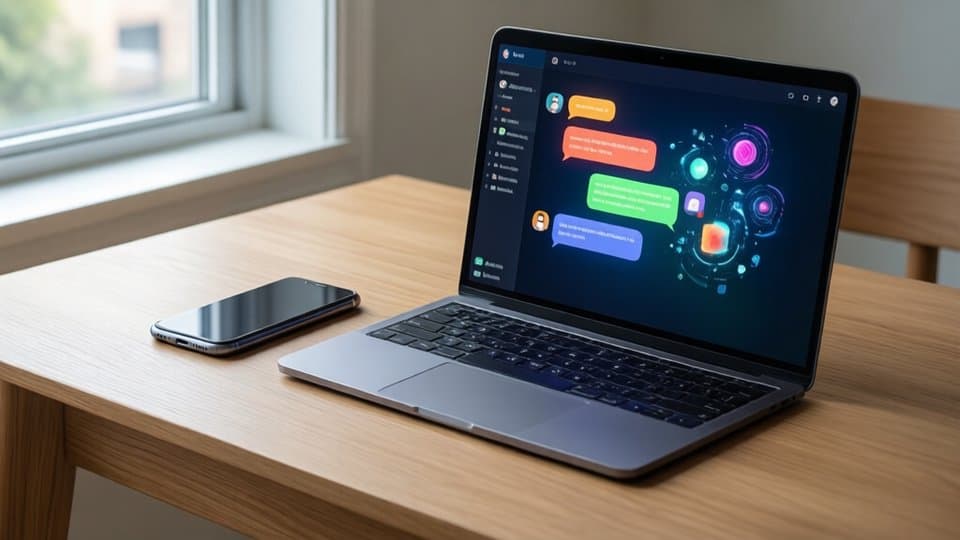
Microsoft is launching a unified version of its AI assistant that integrates chat, app building, and autonomous agents into a single interface. This WhatsApp update-style evolution for the workplace affects both enterprise and consumer users by consolidating previously separate tools into one application. Users should prepare for new usage-based billing models for advanced features.
- Microsoft is moving toward a single Copilot client for both consumers and businesses, according to ZDNET.
- The new structure includes three main areas: Home, Code, and Autopilot, as reported by TechRepublic.
- Fewer than 7% of the more than 450 million commercial Office 365 seats currently have licenses for the AI add-on, according to The Next Web.
What is the new Copilot structure?
The redesign transforms Copilot from a simple chatbot into a comprehensive workspace. Instead of just answering questions, the app now manages delegated tasks and long-running processes. Microsoft is organizing the experience into three distinct tabs to separate different types of AI interaction.
The Home tab serves as the primary hub, combining Chat for quick questions with Cowork for multi-step tasks. Microsoft is also integrating Word, Excel, and PowerPoint directly into this view. This allows users to create or update actual documents and spreadsheets within the Copilot interface rather than just receiving text to copy elsewhere.
The Code tab is designed to help non-developers build small applications, trackers, or automations using natural language. This feature uses the same technology found in GitHub Copilot but runs in a secure, sandboxed environment within a company's Microsoft 365 tenant. This approach aims to keep data within the organization's controlled cloud.
Finally, the Autopilot tab introduces autonomous agents. These agents can monitor conversations and manage projects even when a user is offline. They function as digital teammates with their own memory and identity.
How does Genie integrate with these tools?
The Azure Databricks Genie plugin brings specialized business context into the Microsoft ecosystem. While standard AI can read emails, it often lacks specific knowledge about company-specific metrics or certified data tables. Genie solves this by providing a layer of business semantics that ensures AI answers are accurate and grounded.
Genie works across several Microsoft platforms to ensure users get consistent information. According to Databricks, the plugin connects to Microsoft Copilot, Copilot Cowork, Microsoft Teams, and Microsoft Excel.
In Microsoft Teams, users can mention @Databricks Genie in a channel to get answers about company data. For example, a manager can ask about specific sales leads, and Genie will reply with data pulled from the organization's governed context. In Excel, analysts can use the Azure Databricks Excel Add-in to ask questions in plain English and load results directly into their workbooks without writing SQL.
Who is affected by these changes?
The update primarily targets enterprise customers and heavy users of the Microsoft 365 ecosystem. While Microsoft is also absorbing its consumer Copilot into this unified app, the core features are engineered for professional environments. This includes organizations that rely heavily on Outlook, SharePoint, and Teams.
Business users will see a shift in how they interact with data. Instead of manually exporting files to move numbers between apps, they can use the integrated tools to maintain data integrity. This reduces the risk of using inconsistent figures across different departments.
IT administrators are also significantly affected by the introduction of autonomous agents. These agents have the ability to operate independently in the cloud, which presents new management challenges. Microsoft is providing FinOps controls to help administrators monitor spending and restrict which AI models can be used.
How will the new pricing work?
Microsoft is moving away from a one-size-fits-all subscription for its most advanced features. While a standard user license covers everyday tasks like Chat in Word or Outlook, more intensive work will require different payment structures. This distinction separates simple conversational AI from complex agentic work.
Advanced capabilities such as Cowork, Code, and Autopilot will use usage-based billing. This means organizations pay for the actual amount of computational power or "consumption" used when running long-running agents or generating complex applications. This model allows companies to control costs based on actual employee needs.
Administrators will have access to tools to manage these costs. They can apply spending policies and route requests for additional credits through approval workflows. This ensures that the move toward autonomous agents does not lead to unpredictable monthly expenses.
What can you do right now?
The rollout of these features is happening in stages through different access programs. Not all features are available to every user immediately. Users should check their specific subscription level and access programs to see what they can use today.
If you want to access the newest features early, you should look into the following steps:
- Join the Microsoft Frontier early-access program to access the Home and Code tabs.
- Check for the availability of the Azure Databricks Genie plugin if your organization uses Databricks.
- Monitor for the "Today" dashboard feature, which is expected to enter private preview in October.
- Review your Microsoft 365 subscription to see if you qualify for the upcoming Code preview later this year.
What happens next for Microsoft Copilot?
Microsoft plans to continue expanding the capabilities of its AI ecosystem throughout 2025 and 2026. The company is focusing on making the Copilot experience more proactive and integrated into the daily flow of work. This includes more advanced agentic features and deeper integration with third-party tools.
The company will share more details regarding these developments at the Ignite conference in San Francisco, scheduled for November 17 to 20. This event will likely provide more clarity on the roadmap for Autopilot and the expansion of the Managed Runtime platform.
As the market evolves, Microsoft is also positioning Copilot to compete more directly with other AI providers. The new app will allow users to choose between different models, including those from OpenAI and Anthropic, or use an "Auto" mode that selects the best model for a specific task.
Frequently Asked Questions
Will the new Copilot cost more than my current subscription?
Standard tasks like chatting in Word remain covered by existing licenses, but advanced features like Autopilot and Code will use usage-based billing.
Can I use Copilot to build my own software?
Yes, the new Code feature allows you to build apps, trackers, and automations using plain language, which then run in a secure environment.
What is the difference between Chat and Cowork?
Chat is for quick questions and drafting content, while Cowork is designed to handle complex, multi-step tasks from start to finish.
SEO Meta Description: Microsoft is transforming Copilot into a unified workspace with new Home, Code, and Autopilot features. Learn how these changes affect your workflow and costs.
URL Slug: microsoft-copilot-update-home-code-autopilot-genie
Sources
- 1.databricks.comWhat's new for Genie in Microsoft: Copilot Cowork and Chat, Microsoft Teams, and Excel.
- 2.techrepublic.comMicrosoft’s New Copilot Combines Home, Code, and Autopilot: What Users Actually Get
- 3.zdnet.comMicrosoft’s new Copilot app puts everything in one place – but the price is ‘evolving’
- 4.thenextweb.comMicrosoft's new Copilot app adds coding and an always-on Autopilot agent