New Windows 11 Update Brings Taskbar Freedom and Interface Tweaks
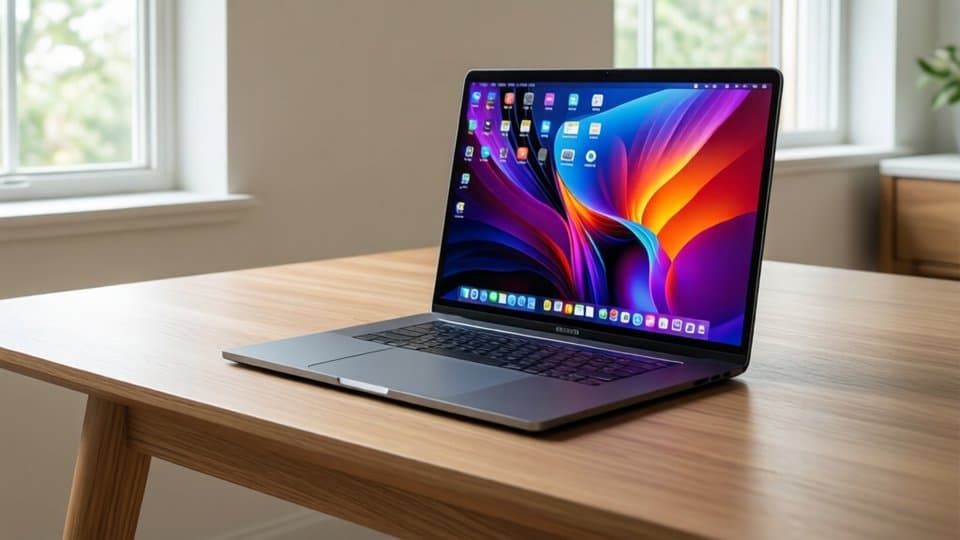
Microsoft is rolling out the Windows 11 KB5132061 update on November 10, 2026, to improve system customization and speed. Users running Windows 11 25H2 or 26H2 will receive these performance boosts and interface changes automatically through Windows Update. You should check your settings to ensure your security remains current.
- The KB5132061 update is a mandatory security patch released on November 10, 2026, according to Windows Latest.
- Update sizes for Windows 11 can reach 5GB when using the Update Catalog, according to Windows Latest.
- The 26H2 update allows taskbar placement on any screen edge, according to Geeky Gadgets.
What new features are in the Windows 11 update?
The latest update introduces several interface changes designed to make the operating system feel more personal. You can now customize the right-click context menu to remove items you rarely use, which reduces visual clutter. This update also brings dark mode to the AutoPlay dialog and the Folder Options menu.
File Explorer is receiving several usability upgrades to help you find information faster. Search results now display file names, locations, and dates in a consistent layout. Additionally, typing a tilde symbol in the address bar will instantly take you to your user folder, which simplifies navigating to the AppData directory.
The taskbar and Start menu are also seeing significant changes for better workflow management. According to Geeky Gadgets, the taskbar can now be moved to the top, left, or right edges of the screen. The Start menu can be resized to small, default, or large settings to fit your monitor size.
How does the update improve File Explorer and search?
File Explorer is now easier to read and manage thanks to clearer labeling and layout updates. File sizes are now shown in familiar units like GB, MB, and KB to prevent confusion. These changes help users understand how much space their files occupy without doing mental math.
Search functionality has been redesigned to remove distractions and improve speed. The search box no longer shows intrusive advertisements, providing a cleaner interface for finding local files. Users can also choose to disable web and Microsoft Store results to ensure search results only show files stored on the device.
The new layout in File Explorer search results makes scanning through lists much faster. Because the name, location, and date follow a steady pattern, your eyes can move down the list more efficiently. This makes managing large collections of documents or photos much less tedious.
Who is affected by these changes?
This update primarily affects users running the Windows 11 25H2 and 26H2 versions. If you are using a modern Arm-based PC, such as those with Snapdragon X2 or Nvidia RTX Spark chips, you will rely on a special version called Windows 11 26H1. These users will see the benefits of the new performance optimizations.
Some users may find themselves excluded from these specific improvements. According to Windows Latest, support for Windows 11 24H2 Home or Pro editions ended in October 2026. If you are still using those specific editions, you will not receive these new feature updates.
The update size is also a factor for people with limited internet bandwidth. While Windows Update handles the download efficiently at roughly 1 to 1.5 GB, using the manual Update Catalog method can result in a 5GB download. This larger size is due to the inclusion of AI models for supported hardware.
What can I do to install the update?
Most users do not need to take any manual action because the update is mandatory. As long as your Windows Update settings are turned on, the system will download and install the patch automatically. This ensures that your computer stays protected against the latest security threats without your constant intervention.
If you prefer to control the timing of the installation, you can use the following steps:
- Open the Settings app on your computer.
- Navigate to the Windows Update section.
- Click on Check for updates to trigger the download immediately.
- Select the option to pause updates if you are in the middle of a critical project.
If the automatic process fails, you can use the Update Catalog to find an offline installer. This is a specialized file known as an .msu file that can be run manually. However, Windows Latest suggests using this method only if you manage hundreds of PCs or if the standard update tool fails repeatedly.
How will updates affect my productivity?
Microsoft is attempting to make the update process less disruptive to your daily work. The 26H2 update aims to consolidate various patches so that you only need to restart your computer about once per month. This reduces the frequency of interruptions during your working hours.
You also gain more control over when your computer restarts. The new update management system allows you to pause updates in 35-day increments. This is helpful if you are working on a time-sensitive task and cannot afford a sudden reboot. You can wait until a more convenient time to let the system apply the changes.
The taskbar and Start menu changes also aim to increase efficiency. By allowing you to resize the Start menu or move the taskbar, the operating system adapts to your specific hardware setup. This customization helps create a workspace that is tailored to your specific habits and needs.
What happens next for Windows 11 users?
The rollout of these features is happening gradually. This means that even after you install the update, you might not see the new right-click menu or taskbar options immediately. Microsoft releases these changes in waves to ensure system stability across different types of hardware.
Developers are still working on the modern versions of certain windows. For example, the Properties dialog box in File Explorer still uses an older design style. A modern WinUI version of this dialog is currently in development, so users can expect further visual refinements in future updates.
Security remains the priority for all upcoming releases. Because these updates bundle AI models and security patches, the files are becoming larger over time. Users should keep an eye on official Microsoft announcements to see how future versions of Windows 11 will handle these increasing file sizes and hardware requirements.
Frequently Asked Questions
Why is my Windows 11 update so large?
Windows 11 updates are larger than previous versions because they now include AI models for compatible PCs, according to Windows Latest.
Can I move my taskbar to the side of the screen?
Yes, the 26H2 update allows you to position the taskbar on the top, bottom, left, or right edge of your screen, according to Geeky Gadgets.
How do I customize my right-click menu?
If the feature has rolled out to your device, you can find a "Customize menu" option when you right-click, which opens a new page in Settings under Personalization.
SEO Meta Description: Discover what's new in the Windows 11 KB5132061 update, including a customizable right-click menu, taskbar flexibility, and faster File Explorer performance.
URL Slug: windows-11-kb5132061-new-features-guide