Microsoft Explains Why You Cannot Drag the Windows 11 Taskbar
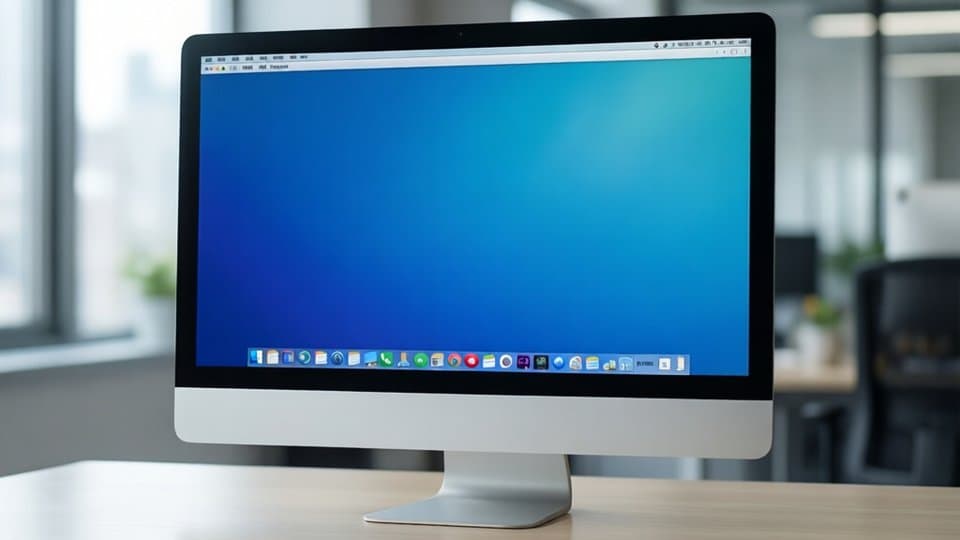
Microsoft has confirmed that the inability to drag the taskbar to different screen positions is a permanent design choice for the current version of Windows 11. This decision affects users who preferred the manual repositioning methods found in Windows 10. Users must now use the Settings menu to change the taskbar location.
- Diego Baca, Microsoft's Vice President of Design, calls this a "deliberate design decision."
- Liliputing reports that Microsoft plans to bring back taskbar repositioning in future updates.
- Microsoft ended mainstream support for Windows 10 in 2025, according to Liliputing.
Is the missing taskbar feature a bug or a choice?
The inability to move the taskbar is not a technical error or a missing piece of code. Microsoft intentionally designed Windows 11 to prevent users from moving the taskbar through simple mouse dragging. This differs from the Windows 10 experience where users could click and drag the bar to different edges of the screen.
Microsoft officials state that the current system is meant to be more predictable. While Windows 10 allowed users to uncheck a "Lock the taskbar" option to enable movement, Windows 11 removes that specific interaction. The company views the new method as a way to prevent users from accidentally changing their desktop layout.
"From our research, dragging the taskbar to reposition it can lead to accidental movements, which is one of the reasons “Lock the taskbar” existed in previous versions of Windows," said Diego Baca, Vice President of Design at Microsoft.
According to Windows Central, the company also found that users do not change their taskbar position very often. This frequency led to the decision to move the feature into a deeper menu rather than keeping it as a quick drag-and-drop action.
How do I move the taskbar in Windows 11?
Users cannot move the taskbar by clicking and dragging it to the top or sides of the monitor. Instead, you must navigate through the operating system's settings to change its location. This process is more involved than the single right-click method used in older versions of Windows.
To change the position of your taskbar, follow these steps:
- Right-click on an empty space on the taskbar.
- Select the Windows Settings option from the menu that appears.
- Locate the taskbar settings within the application to choose your desired location.
This method is designed to be a "discoverable setting" that is only a few clicks away. Microsoft believes this makes the experience more intentional. It also prevents the taskbar from being resized by dragging the top edge, a feature that was also removed in the transition to Windows 11.
Who is affected by these design changes?
Long-time Windows users who rely on specific desktop layouts are the most affected by this change. People who prefer having their taskbar on the left, right, or top of the screen may find the new Windows 11 interface frustrating. The removal of the drag-and-drop capability changes a fundamental way people interact with their desktop.
The shift also impacts users who prefer the simplicity of Windows 10. While Microsoft ended mainstream support for Windows 10 in 2025, many people remain reluctant to switch to Windows 11. These users often cite the loss of customization features, such as taskbar movement, as a reason for their hesitation.
Additionally, users who find the new AI-heavy interface intrusive are feeling the impact. Liliputing notes that many users complain about unnecessary features like Copilot being integrated into every app. This creates a feeling that the operating system is becoming less customizable and more cluttered with unwanted tools.
Will the ability to drag the taskbar return?
There is conflicting information regarding whether the dragging functionality will return. While Microsoft's design team has described the current state as a deliberate decision, recent update plans suggest a change is coming. New updates aim to address user feedback regarding customization and control.
According to Liliputing, Microsoft is planning updates that will allow users to drag and drop the taskbar again. These updates would let users move the bar to the top of the screen or position it on the left and right sides of the workspace.
Pavan Davuluri, representing Microsoft, stated in a blog post that these changes are part of an effort to address user feedback. These updates are expected to start rolling out to Windows Insiders within six weeks. If the testing goes well, the general public should see these changes later this year.
What other changes are coming to Windows 11?
Microsoft is working on several updates to make the operating system more user-friendly. These changes focus on reducing clutter and giving users more control over their computer. The goal is to move away from forced integrations and toward a more predictable experience.
The company is reducing the number of "Copilot" AI entry points in common tools. Apps like Notepad, Photos, Widgets, and the Snipping Tool will see a reduction in these generative AI features. This change addresses complaints that Microsoft was adding features that users had not requested.
Other planned improvements include:
- Faster launching and better reliability for File Explorer.
- More control over when and how Windows Updates are installed.
- New options to skip updates during the initial computer setup.
- The ability to restart a PC without installing an update immediately.
- Improved personalization for the Widget feed.
Frequently Asked Questions
Can I move the Windows 11 taskbar to the top of the screen?
Currently, you must use the Windows Settings menu to change the taskbar position. However, upcoming updates are expected to allow you to move it to the top via drag-and-drop.
Why did Microsoft remove the drag-and-drop taskbar feature?
Microsoft stated that dragging the taskbar can cause accidental movements. They designed the new system to be more intentional and predictable for the user.
When will the taskbar repositioning update arrive?
Updates are expected to roll out to Windows Insiders within the next six weeks. The general public should receive these updates later this year.
SEO Meta Description: Microsoft confirms why you cannot drag the Windows 11 taskbar. Learn how to move it using Settings and find out when drag-and-drop functionality returns.
URL Slug: windows-11-taskbar-cannot-drag-reposition-explanation