New Instagram Update Brings Official App to Apple TV
You can now watch content on your television via a new instagram update that brings an official app to the Apple TV platform. This release, which appeared around October 23, allows users to view Reels, longer videos, and live shows on a large screen. If you own an Apple TV, you can download the application for free from the App Store today.
What exactly happened with the new app release?
Instagram launched an official application for the Apple TV, marking the first time the company has provided its own software for the device. This move transitions the platform from a mobile-centric experience to one that includes living room viewing. The software allows users to discover creators and resume their viewing history across different hardware.
The timeline for this release suggests it arrived in late October. According to MacRumors, 2026: the app likely launched on October 23. This conclusion is based on Apple's specific release metadata for version 66.0. This date is supported by looking at an archived App Store listing from October 19, which showed the app only worked on iPhone and iPad. Once the October 23 date passed, the Apple TV became a supported device in the US App Store.
Before this official release, users had to rely on third-party software. While viewers like Watch for Instagram existed on the platform, they were not built by the original creators. This new version is the first direct offering from the company itself.
Why does this change matter for social media users?
This update changes how people consume short-form video by moving it from a handheld device to a shared television experience. It shifts the focus from solitary scrolling to a format designed for groups. The interface is built to support watching content together with friends and family in a communal setting.
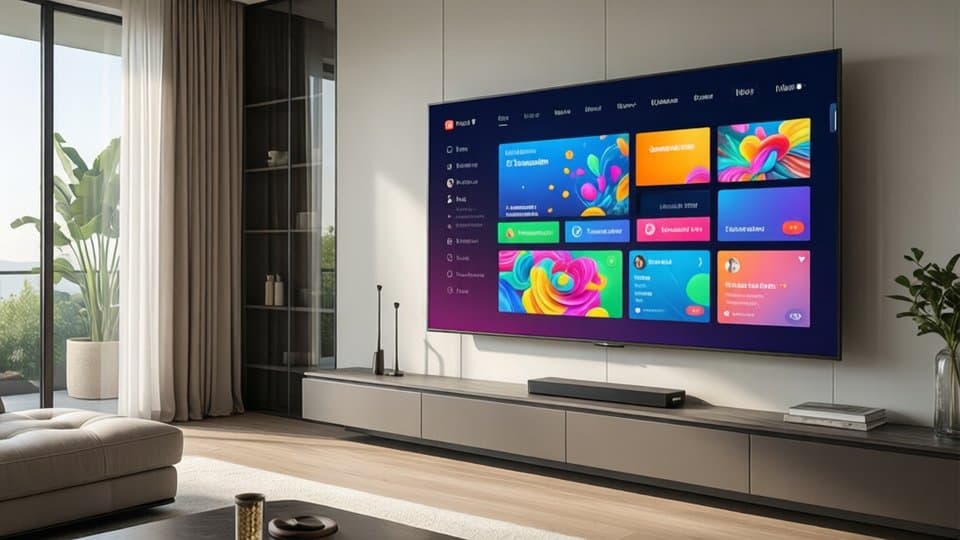
The design of the interface reflects this change in behavior. App screenshots reveal a home screen centered on Reels. A row for Stories sits at the top of the screen. Below that, a "For you" grid displays various videos. A navigation rail stays on the left side to help users move through the app. When a user selects a Reel, it plays in full screen. The interface shows like, comment, repost, and share counts next to the video. It even displays small avatars to show which friends reacted to the content.
The expansion also signals a change in content strategy. While the focus remains on short clips, the platform is moving toward more variety. According to androidpure.com, 2026: the Apple TV app description includes longer videos and live shows alongside the standard Reels. This follows a broader trend where Meta is trying to increase the amount of time users spend watching video content.
Who is affected by this new software?
Apple TV owners are the primary group gaining access to this feature. However, they are arriving later to the television experience than users of other smart home platforms. This update specifically targets people who prefer watching high-quality video on a large screen rather than a small smartphone display.
The rollout history shows that other device owners received this functionality much earlier. The sequence of events for the television expansion was as follows:
- December 2025: Instagram began testing a TV app on Amazon Fire TV in the US.
- February 2026: The service reached Google TV users.
- June 2026: The app became available on Samsung smart TVs.
- September 2025: A dedicated iPad app was released to address long-standing user requests.
- October 2026: The official Apple TV app arrived.
Content creators are also affected. By moving to the television, creators can reach audiences in a different environment. Meta has expressed a desire to move beyond just short clips. In June, the company outlined plans to expand into episodic series and live broadcasts. This means creators may soon produce content specifically intended for the big screen.
What can you do right now to get it?
If you want to use the application, you must ensure your hardware is running the correct software version. The app requires tvOS 26.0 or later to function. The application is free to download and does not require a subscription to access the basic features.
Follow these steps to install the software on your device:
- Open the Settings menu on your Apple TV.
- Navigate to System.
- Select Software Updates to ensure you are running tvOS 26.0 or a newer version.
- Once updated, go to the App Store.
- Search for Instagram.
- Select the app and choose to download it.
Once installed, you can browse your feed, watch Reels, and interact with content using your remote. The app is designed to make navigation easy on a television interface, so you do not need a keyboard or mouse to interact with the videos.
What happens next for the platform?
The company will likely continue to integrate more diverse video types into the television experience. As the technology matures, the distinction between mobile and TV content may blur. Users can expect more features that allow for seamless transitions between their phone and their living room.
Meta is currently focused on giving users more control over what they see. For example, Facebook now allows users to tell the algorithm exactly what they want to see in their Feed and Reels. This level of customization will likely eventually reach the Apple TV version as well. The goal is to make the television a central hub for social video consumption.
The expansion into longer content is a major part of the future roadmap. While the initial experience for other TV platforms focused heavily on Reels organized into interest-based channels, the Apple TV version is arriving at a time when the company wants to push episodic series. This suggests the platform is evolving from a simple social app into a full-scale video streaming service.
Frequently Asked Questions
Is the Instagram Apple TV app free?
Yes, the app is free to download from the App Store. You do not need to pay a fee to access the basic features of the application.
Can I watch live shows on my TV?
Yes, the app description includes support for live shows alongside Reels and longer videos. This allows for a more interactive viewing experience on the big screen.
Do I need a specific Apple TV model?
You need a device that supports tvOS 26.0 or a later version. You can check your current version under the System settings on your device.
SEO Meta Description: Learn how to watch Instagram Reels and live shows on your Apple TV with the new official app release. Find out how to install it and what features are included.
URL Slug: instagram-apple-tv-app-release-reels